Connected Accounts Overview
Connect and manage your social media accounts.
Before you can publish content from Flamel, you need to connect your social media accounts. This one-time setup authorizes Flamel to post on your behalf to Facebook, Instagram, LinkedIn, TikTok, X, and other platforms. Once connected, you can schedule and publish content without logging into each platform separately.
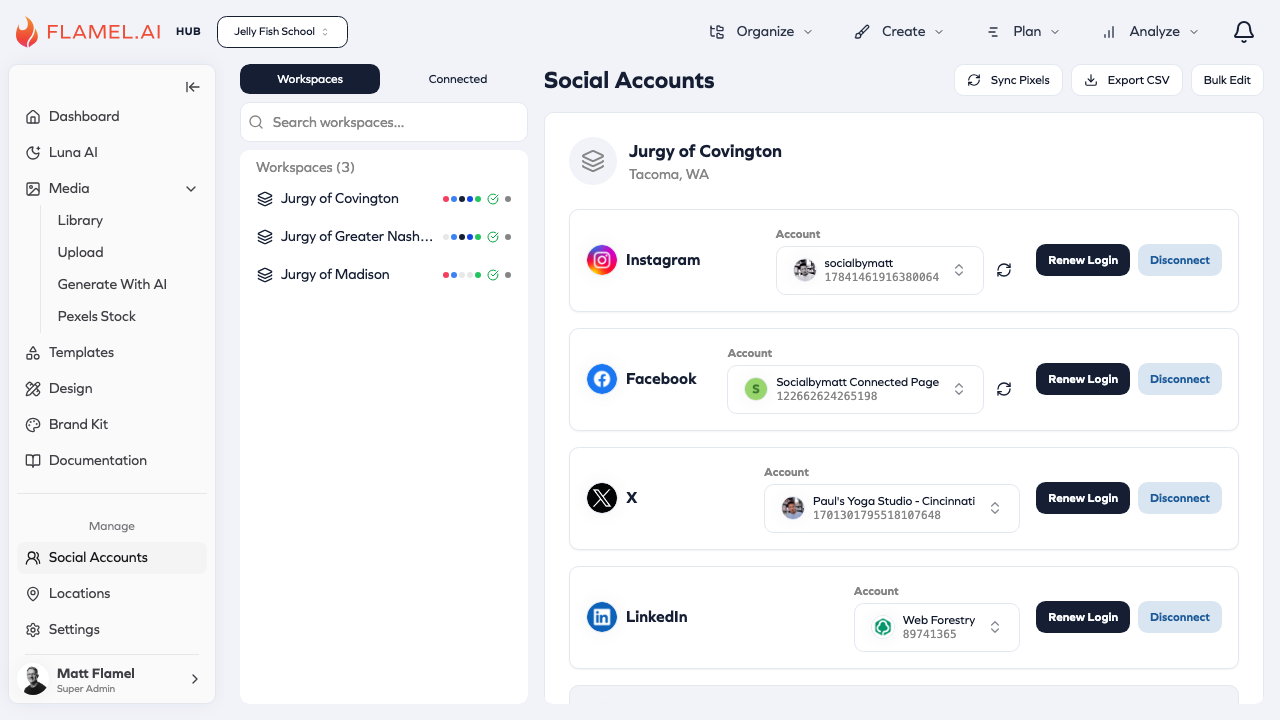
Accessing Connected Accounts
Navigate to Connected Accounts in the Manage section of the sidebar to see your current connections and add new ones.
Why Connection is Required
Social platforms don't allow third-party apps to post without explicit permission from the account owner. When you connect an account, you're authorizing Flamel through each platform's official authentication system. This is the same process used by any social media management tool.
The connection uses industry-standard OAuth authentication. Flamel never sees your social media passwords — you log in directly on each platform's site, and they provide Flamel with a secure token that grants posting permission.
Connection Status at a Glance
Each connected account displays a status indicator so you can quickly see its health:
| Status | Indicator | Meaning |
|---|---|---|
| Connected | Green | Account working normally |
| Expiring Soon | Yellow | Token will expire soon, reconnect recommended |
| Disconnected | Red | Connection no longer valid, reconnect required |
Quick Setup Checklist
| Platform | What You Need |
|---|---|
| Page admin access | |
| Business account linked to Facebook Page | |
| Company Page admin access | |
| TikTok | TikTok account with posting permissions |
| X (Twitter) | X account access |
Maintaining Connections
Refresh — Click an account showing "Expiring Soon" and select Refresh to extend the connection.
Reconnect — If an account shows Disconnected, click Reconnect and complete the authorization flow again.
Remove — Click Disconnect to remove an account from Flamel. Scheduled posts for that account will fail if not reassigned first.
For troubleshooting connection issues, verify your permissions on the platform directly or consult the platform's help documentation.