Organic Social
Schedule and publish social media content across all your franchisees.
Organic Social helps you create, schedule, and publish content across Facebook, Instagram, LinkedIn, TikTok, and X (Twitter) — all from one place. Whether you're managing a single franchisee or hundreds, Flamel keeps your brand consistent while letting each franchisee shine.
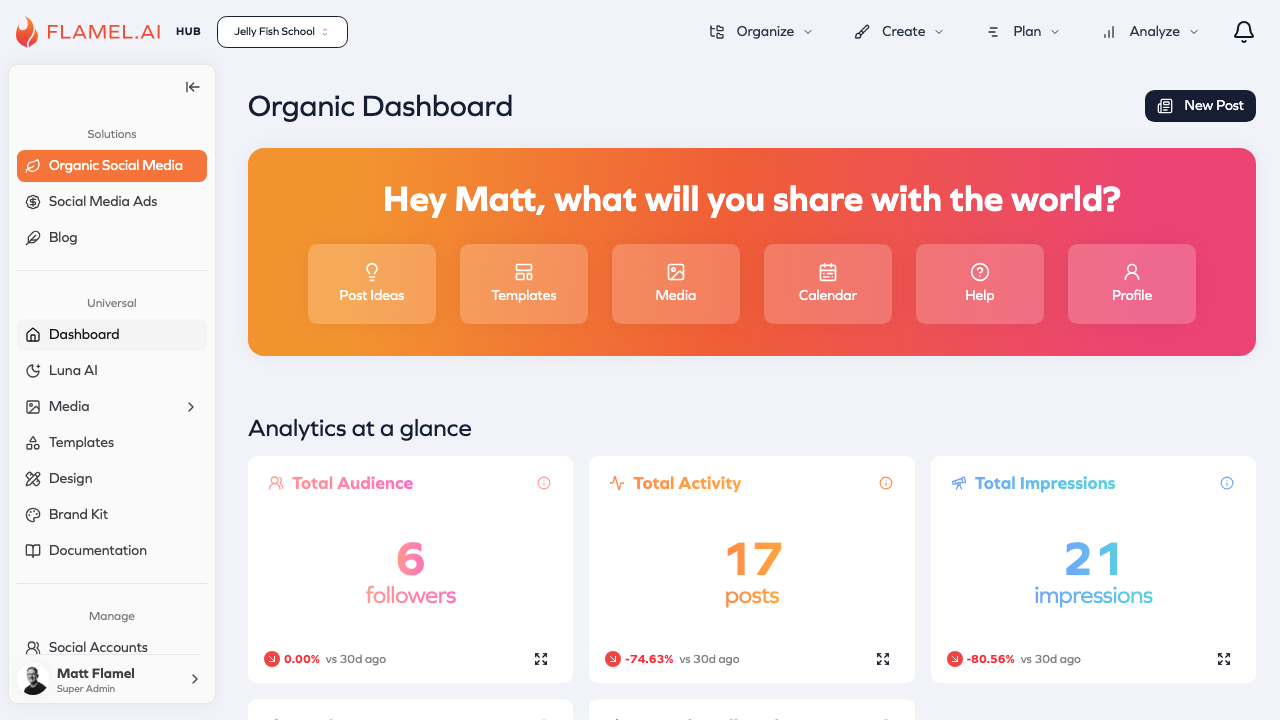
How It Works
The organic social workflow in Flamel follows a simple cycle:
Create content using the post editor → Schedule for optimal timing → Publish to your connected accounts → Engage with comments and messages → Analyze what's working → repeat
What You Can Do
Plan your content using the Content Calendar to see everything scheduled across all your accounts. Drag and drop posts to reschedule, spot gaps in your content plan, and ensure you're posting consistently.
Create posts with the Post Editor, which lets you write once and customize for each platform. Add images, videos, or carousels, and preview exactly how your post will look before it goes live.
Save ideas in Post Ideas when inspiration strikes. Come back later to turn them into full posts when you're ready.
Use templates from the Templates library for quick, on-brand content. Hub users can create templates that all franchisees can use.
Respond to comments through the Comments & Inbox feature. See all your engagement in one place instead of switching between apps.
Track performance in Analytics to understand what's working. See which posts drive the most engagement and when your audience is most active.
Hub vs. Workspace
If you're part of a franchise organization, Flamel treats Hub (franchisor) and Workspace (franchisee) users differently:
| Hub Users (Franchisor) | Workspace Users (Franchisee) | |
|---|---|---|
| Create posts | Broadcast to all franchisees | Post for their own accounts |
| See content | All franchisees' content | Own content + Hub broadcasts |
| Templates | Create & distribute | Use templates from Hub |
| Analytics | Aggregate across franchisees | Own workspace data |
Hub-created content appears in workspace calendars as read-only, ensuring brand consistency while giving franchisees the flexibility to add their own local flavor.
Next Steps
Ready to get started? Here's what we recommend:
- Connect your accounts — Link the platforms you want to post to
- Explore the calendar — Get familiar with the scheduling interface
- Create your first post — Try out the post editor