Organization Overview
Manage users, workspaces, and permissions for your organization.
Organization settings control the administrative aspects of your Flamel account — who has access, what permissions they have, how workspaces are structured, and feature availability. This is where administrators handle the people and structure side of Flamel, separate from the content creation tools.
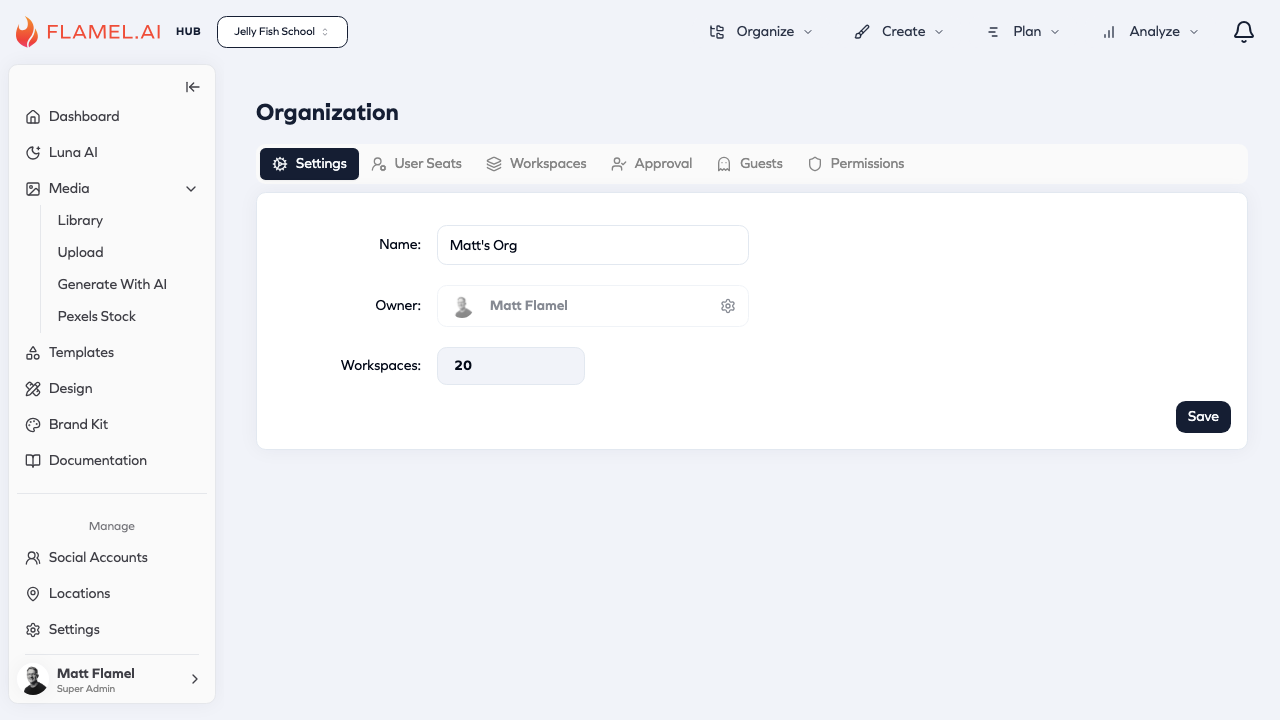
Accessing Organization Settings
Click your profile picture in the top corner and select Organization from the dropdown menu. This takes you to the organization management interface where all administrative functions live.
Organization Tabs
The Organization page is divided into several tabs, each handling a different aspect of administration:
- Settings — Basic organization information like name and owner
- User Seats — Manage who has access and their roles
- Workspaces — Manage individual workspaces/locations
- Approval — Configure content approval workflows
- Guests — Grant limited access to external users
- Permissions — Control feature availability (including Pexels, Giphy, and AI generation)
Understanding the Organization Model
Flamel uses a hierarchical model where your Organization contains multiple Workspaces. Think of the organization as your company or franchise brand, and workspaces as individual locations or teams within it.
Organization-level settings affect everyone — when you enable a feature in Permissions, it becomes available to all users. When you add an approval workflow, it applies across workspaces according to your configuration.
Workspace-level settings are more granular. Each workspace can have its own users, connected accounts, and content. Workspaces operate somewhat independently while still falling under organization-wide policies.
This model works well for franchise businesses where corporate (the Hub) needs to maintain brand standards while individual franchisees (Workspaces) need autonomy for local content.
How It All Fits Together
Your Organization is the container that brings together users, workspaces, hubs, permissions, and settings into a unified system. Understanding how these pieces connect helps you structure Flamel effectively for your business.
The Organization as Container
At the highest level, your Organization holds everything:
- Users — People who access your Flamel account, each with specific roles
- Workspaces — Individual locations, teams, or franchisees with their own social accounts and content
- Hubs — Central management layers that distribute content and configurations to workspaces
- Permissions — Feature availability settings that apply across the organization
- Approval Workflows — Content review processes that span workspaces
Single Hub Structure (Most Common)
For most franchise brands and multi-location businesses, a single Hub (the franchisor) manages all workspaces (franchisee locations). The franchisor creates content templates, marketing configurations, and brand guidelines that flow down to every location.
Loading diagram...
In this structure:
- The Hub (franchisor) creates and manages content that gets distributed to all locations
- Each Workspace (franchisee location) receives hub content but can also create local content
- Organization settings (users, permissions, workflows) apply across everything
- Hub content is read-only from the franchisee perspective — locations use it but can't modify it
Multi-Hub Structure (Agencies & Multi-Brand Groups)
For marketing agencies or franchise groups managing multiple brands, a single Organization can contain multiple Hubs. Each Hub (brand) serves its own set of locations while sharing users and organization-level settings.
Loading diagram...
In this structure:
- Multiple Hubs (brands) operate independently, each managing their own brand's content and configurations
- Workspaces (franchisee locations) belong to specific Hubs and receive content only from their parent brand
- Users can be granted access to multiple Hubs based on their responsibilities
- Organization settings still apply universally — permissions and user management happen at the org level
- This scales to hundreds of locations across multiple brands, all managed within one Organization
What Lives Where
| Level | What It Controls |
|---|---|
| Organization | Users, roles, permissions, feature availability, approval workflows, billing |
| Hub (Franchisor/Brand) | Content templates, Playbooks, targeting presets, brand guidelines, marketing configurations |
| Workspace (Franchisee/Location) | Social accounts, local content, location-specific settings, posting schedules |
Practical Examples
Single-brand franchise (50 locations): One Organization → One Hub (franchisor) → 50 Workspaces (franchisee locations)
Marketing agency (15 clients): One Organization → 15 Hubs (one per client brand) → Variable workspaces per client
Multi-brand franchise group (3 brands, 200 total locations): One Organization → 3 Hubs (one per brand) → ~65 franchisee locations per brand on average
The flexibility of this model means Flamel scales from a single location to enterprise deployments — the same structure just expands to accommodate more brands and locations as needed.