Profile
Manage your account information, timezone, and notification preferences.
Your profile settings control how you appear in Flamel and how the platform behaves for you.
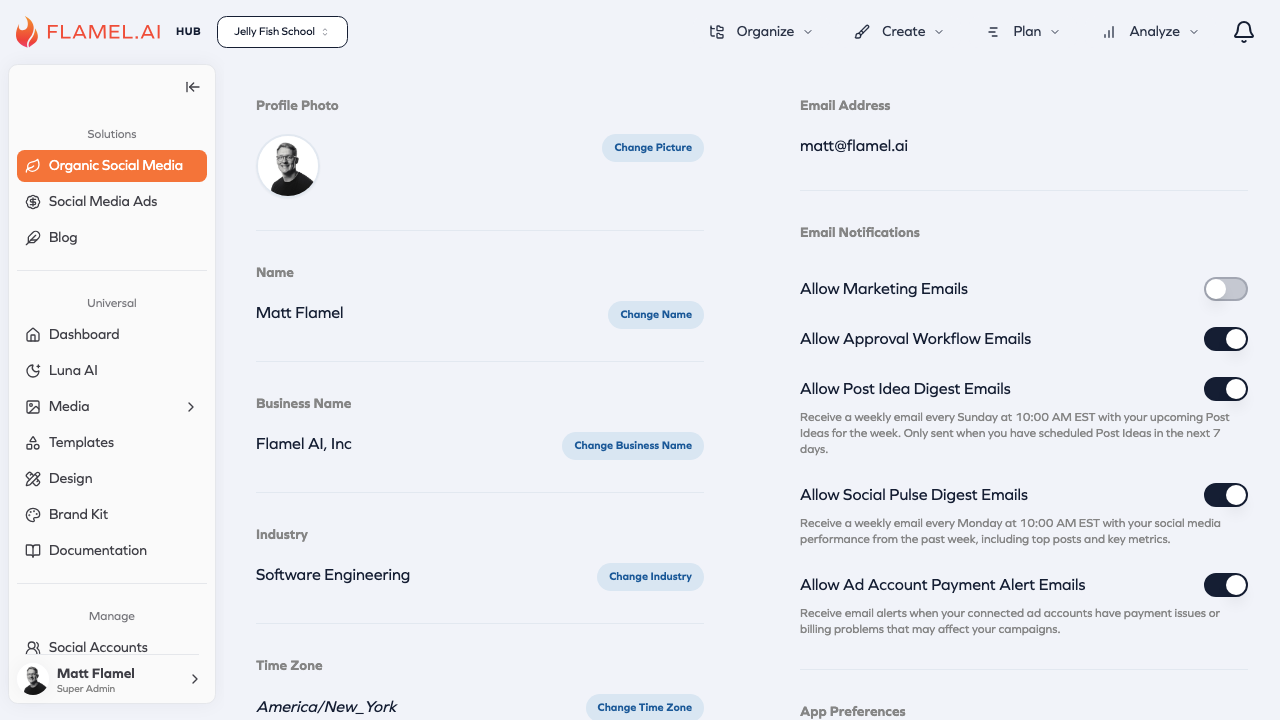
Profile Information
Name and Email
Your name and email are visible to teammates in collaborative features.
- Name — Your display name throughout Flamel
- Email — Where important notifications are sent
Profile Picture
Upload a profile picture to help teammates identify you. Square images work best.
Timezone
Your timezone is critical for content scheduling. When you schedule a post for "9:00 AM," Flamel uses your timezone to determine the correct time.
| Feature | How Timezone Affects It |
|---|---|
| Scheduled posts | Posts go out at the time shown in your timezone |
| Calendar view | Shows scheduled content in your local time |
| Analytics | Time-based data displays in your timezone |
Notifications
Email Notifications
| Notification | Description |
|---|---|
| Failed post alerts | When a post fails to publish |
| Approval requests | Content needs your review |
| Post confirmations | Scheduled posts went live |
| Weekly summaries | Digest of activity and performance |
In-App Notifications
In-app notifications appear in the notification center (bell icon) for real-time alerts and team activity.
Security
Password
Change your password in the Security section. Use a strong, unique password.
Two-Factor Authentication
If available, enable 2FA for an extra security layer requiring a code from your phone when logging in.