Luna AI
Get AI-powered help with content creation and ideas.
Luna is your AI assistant for content creation. When you're staring at a blank screen wondering what to post, or you have a draft that needs polishing, Luna is there to help. Think of Luna as a brainstorming partner who's always available and never runs out of ideas.
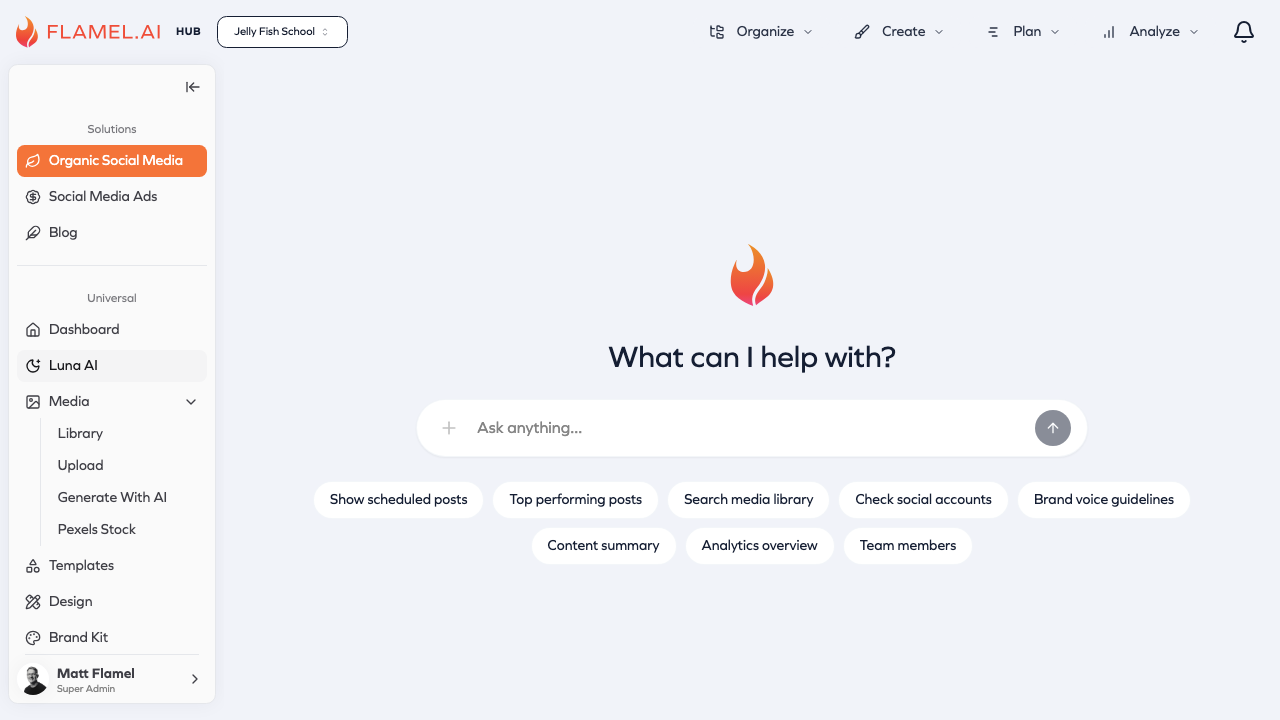
How to Use Luna
Click the Luna AI icon in the sidebar to open the chat interface. This is a conversational space where you can ask questions, request ideas, or get feedback on your content.
Type your request just like you'd ask a colleague. "I need caption ideas for our new product launch" or "Can you make this paragraph more engaging?" Luna responds with suggestions you can use directly or adapt to fit your needs.
When you see something you like, copy it and use it in your posts. Luna's suggestions are starting points — feel free to edit and personalize them to match your voice.
What Luna Can Help With
Luna excels at the creative tasks that often slow down content creation.
Generating Content Ideas
When you're not sure what to post, ask Luna for ideas. Describe your business and audience, and Luna suggests content themes and specific post concepts. For example: "Give me 5 post ideas for a coffee shop during summer" might yield suggestions for iced drink features, patio seating promotions, and coffee-related trivia perfect for the season.
Writing and Improving Captions
Luna can write captions from scratch or improve ones you've drafted. If you have an image but no words, describe the photo and ask for caption suggestions. If you have a draft that feels flat, paste it in and ask Luna to make it more engaging, add humor, or include a call-to-action.
You can also ask for hashtag suggestions relevant to your post, industry, or target audience. Luna stays current on which hashtags are effective versus overused.
Adjusting Tone and Style
Need to adapt content for different platforms? Ask Luna to make your LinkedIn post more casual for Instagram, or to make your casual draft more professional for a corporate audience. Luna can adjust formality, length, emoji usage, and overall voice while keeping your core message intact.
Tips for Better Results
The quality of Luna's suggestions depends on the context you provide. Vague requests get generic responses; specific requests get tailored suggestions.
Include your business context. "Write a caption" is less useful than "Write a caption for a yoga studio's new meditation class." Luna uses this context to make suggestions relevant to your industry and audience.
Describe your audience. Mentioning that you're targeting young professionals versus retirees helps Luna adjust vocabulary, references, and tone appropriately.
Explain the post's purpose. Is this meant to drive traffic to your website? Announce a sale? Build community engagement? Different goals call for different approaches, and Luna can optimize accordingly.
Ask for multiple options. Rather than accepting the first suggestion, ask Luna for 3-5 alternatives. This gives you options to choose from and often sparks ideas you wouldn't have considered.
Using Luna in the Post Editor
You don't always need to open the separate Luna chat. While creating a post, click the AI button directly in the caption editor for quick assistance.
This integration is perfect for on-the-fly improvements. Select text and ask Luna to make it shorter, punchier, or more professional. Or generate hashtag suggestions based on what you've already written. The AI assistance appears right in context, so you can apply suggestions with a click.