Locations
Manage your franchise locations and workspaces.
Hub Feature: Location management is available for Hub (franchisor) users to manage their franchisee locations.
For franchise organizations, locations are the foundation of everything. Each location represents a franchisee workspace with its own social accounts, team members, and local content needs. The Locations page gives Hub users a centralized view of every location in their network, with tools to add new locations, organize them into logical groups, and maintain the data that powers personalized content across the organization.
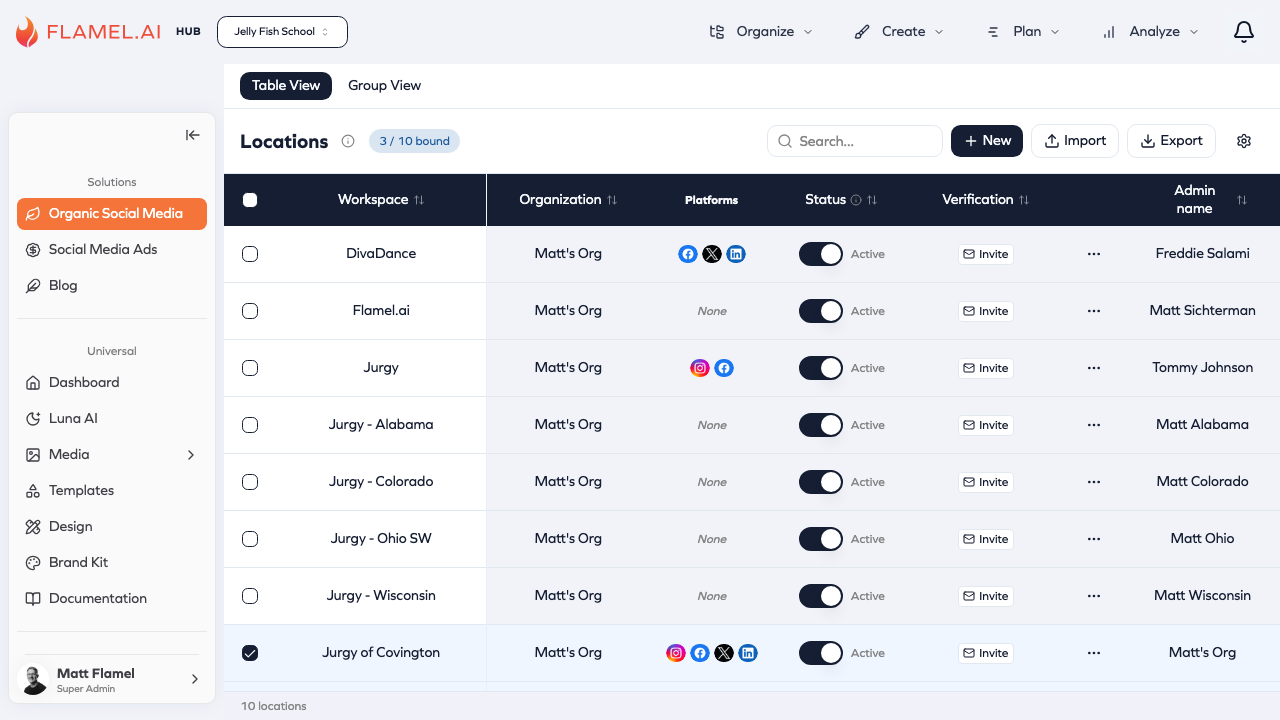
Viewing Your Locations
Navigate to Manage > Locations to see all your franchise locations. The default list view shows every location with key details like name, address, and status. For organizations with many locations, use the search bar to find specific locations by name or address, or apply filters to narrow down by group, region, or other criteria.
The map view provides a geographic perspective on your network. This is particularly useful for understanding coverage, identifying clustering, and planning regional initiatives. Toggle between list and map views using the controls at the top of the page.
Adding New Locations
When a new franchisee joins your network, you need to add their location to Flamel so they can access the platform and receive Hub content.
To add a single location, click Add Location and fill in the location details. At minimum, you need a name for the location. Additional information like address, phone number, and contact email enriches the location record and enables personalization features. Configure any location-specific settings, then save. The new location immediately becomes available as a workspace.
For adding many locations at once, bulk import is far more efficient than adding each individually. The bulk upload feature accepts CSV files with location data, validates the information, and creates all locations in a single operation. See Bulk Upload for detailed instructions on preparing your data and running imports.
Location Information
Each location record contains standard information plus any custom fields you've defined for your organization.
Standard fields include the location name (how it appears throughout Flamel), physical address components, contact information like phone and email, and administrative details like the location manager's name. These fields are available by default for all locations.
Custom variables extend location records with data specific to your franchise. You might track local offers, specialty services, years in business, or any other attribute that varies by location. These custom fields can then be used in content personalization — inserting location-specific values into posts and ads automatically. See Custom Variables for details on creating and using dynamic fields.
Organizing with Groups
As your network grows, groups help you manage locations more efficiently. Instead of working with locations one at a time, groups let you target content, apply settings, or analyze performance for sets of related locations.
Common grouping strategies include geographic regions (East Coast, West Coast, Central), location types (flagship stores, standard locations, new openings), ownership structures (corporate-owned, franchisee-owned), or any other categorization that matches how you think about your network.
To create a group, click New Group, give it a descriptive name, and select which locations belong to it. Locations can belong to multiple groups, so a single location might be part of both a "West Region" group and a "Premium Locations" group simultaneously.
Related Documentation
Location management connects to several other features:
- Custom Variables — Create dynamic fields that personalize content for each location
- Bulk Upload — Import hundreds of locations from CSV files