Paid Social Ads
Run targeted Meta ad campaigns across all your franchisees with centralized management.
Paid Social Ads in Flamel makes it easy to run Meta (Facebook & Instagram) ad campaigns across all your franchisees. Whether you're a franchisor managing hundreds of franchisees or a single franchisee running your first campaign, Flamel gives you the tools to succeed.
Intro to Meta Ads
Meta advertising uses a three-level hierarchy that Flamel matches:
| Level | What It Controls | Example |
|---|---|---|
| Campaign | Objective & budget strategy | "Summer Sale - Lead Gen" |
| Ad Set | Targeting, schedule & placement | "Women 25-45 within 10 miles" |
| Ad | Creative (images, copy, CTA) | Carousel showing sale items |
Understanding this structure helps you see how Flamel organizes your advertising. However, the Playbook system abstracts away much of this complexity — Hub users configure all three levels, and workspace users just opt in.
Playbooks (Recommended)
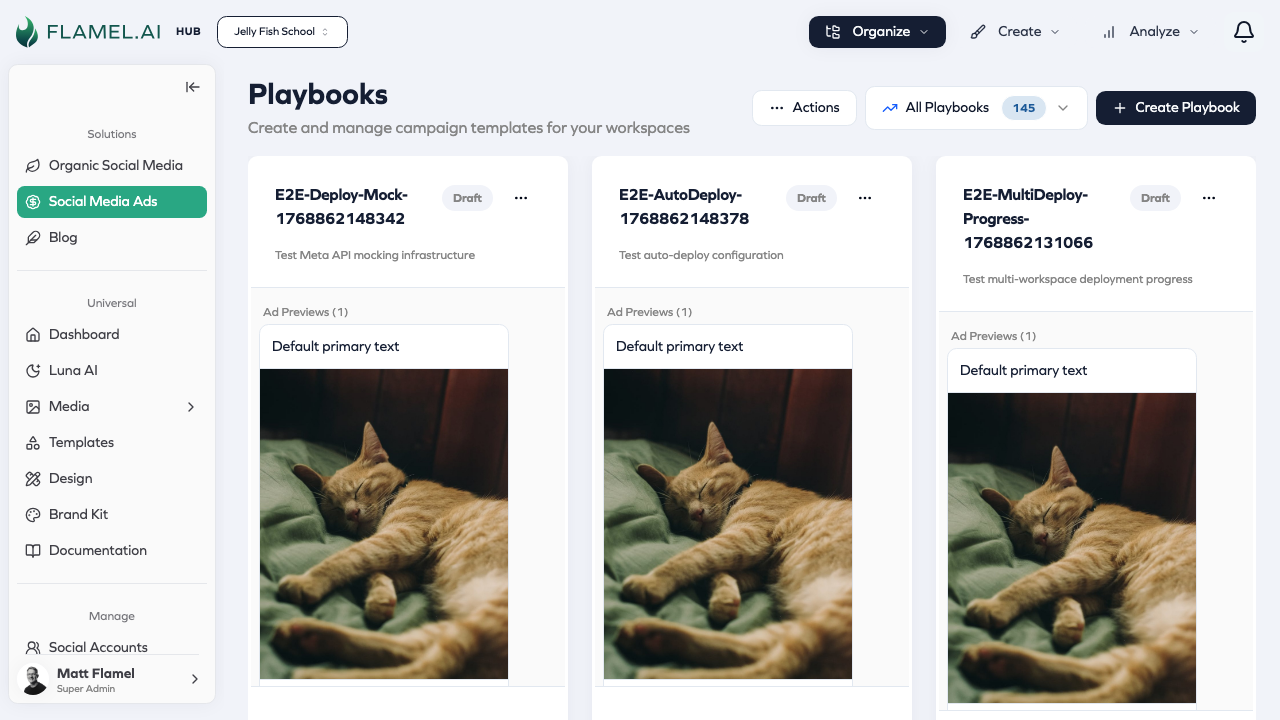
Playbooks are the primary way to run ads in Flamel. They're campaign blueprints that Hub users design once and workspaces deploy with a few clicks.
How It Works
- Hub creates a Playbook — Define the campaign objective, targeting, budget ranges, and creative guidelines
- Workspaces browse and opt in — Franchisees see available Playbooks and choose which to run
- Workspaces provide media — Upload location-specific images/videos
- Campaigns launch automatically — Flamel creates everything in Meta Ads Manager
- Monitor in Command Center — Track performance across all franchisees
This approach ensures brand consistency and proper targeting while franchisees get access to professional advertising without needing to become Meta Ads experts.
Why Playbooks?
| Traditional Approach | Playbook Approach |
|---|---|
| Each franchisee builds campaigns | Hub configures once, workspaces deploy |
| Inconsistent targeting | Standardized best practices |
| Varied creative quality | Brand-compliant templates |
| Individual learning curve | Click-to-launch simplicity |
Ad Configurations
Ad Configurations define reusable targeting presets and audience types that power your campaigns.
Audience Types
Configure once and reuse across campaigns:
| Audience Type | Description |
|---|---|
| Custom Audiences | People who've interacted with your business |
| Lookalike Audiences | New people similar to your best customers |
| Saved Audiences | Reusable targeting combinations |
Configuration Presets
Set up targeting defaults per location with different:
- CTA configurations for different audience segments
- Conversion locations on your website
- Demographics and geographic targeting
- Lead form configurations
Section Overview
Campaign Management
| Section | Purpose |
|---|---|
| Playbooks | Campaign blueprints for multi-location deployment |
| Ad Configurations | Audiences, targeting presets, and lead forms |
| Command Center | Monitor and manage all campaigns |
| Alerts | Performance monitoring and notifications |
| Analytics | Track and analyze ad performance |
Advanced Campaign Building
For those who need direct campaign control:
| Section | Purpose |
|---|---|
| Campaigns | Create and manage campaign objectives |
| Ad Sets | Configure targeting and placement |
| Ads | Build creative combinations |
| Lead Forms | Create and manage Meta lead forms |
For Hub Users (Franchisors)
As a Hub user, you control the advertising strategy for all your franchisees:
Start with Playbooks — Create Playbooks that serve as templates your franchisees can use. Define the campaign objective, targeting criteria, budget ranges, and creative guidelines.
Set up Ad Configurations — Configure your audiences and targeting presets once, then use them in any Playbook.
Monitor everything — Use the Command Center to see which franchisees have active campaigns, track aggregate performance, and make bulk adjustments.
Create alerts — Set up Alerts to catch performance issues early.
For Workspace Users (Franchisees)
As a Workspace user, running ads is simple:
Browse available Playbooks from your Hub to find campaigns that fit your needs — whether that's driving foot traffic, generating leads, or promoting a seasonal offer.
Opt in with a few clicks. Upload your location-specific images or videos, confirm your budget, and launch. The campaign structure, targeting, and optimization are already configured.
Track your results in Analytics to see how your campaigns perform.
Getting Started
Hub users should:
Workspace users should:
- Connect your ad account
- Browse available Playbooks from your Hub
- Opt in to campaigns that fit your goals