Analytics Configuration
Configure Franchisee Earned Media Value calculations and platform CPM values.
Hub Feature: Analytics Configuration is available for Hub (franchisor) users to set organization-wide analytics settings.
Configure how Flamel calculates Franchisee Earned Media Value (fEMV) for your organization.
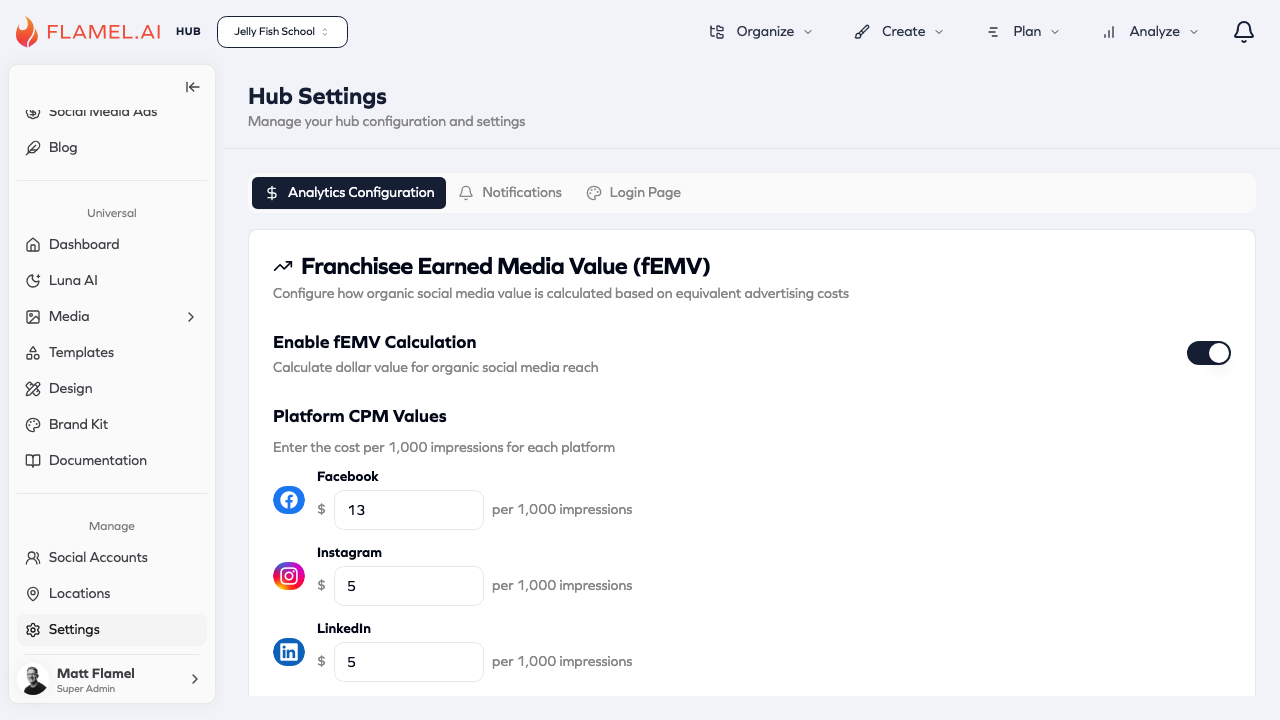
Franchisee Earned Media Value (fEMV)
fEMV calculates the dollar value of organic social media activity based on equivalent advertising costs. Enable this feature to track the monetary impact of your franchise network's organic content.
Enable fEMV Calculation
Toggle this setting to enable or disable fEMV calculation across your hub. When enabled, Flamel will calculate the dollar value of organic social media reach for all workspaces.
Platform CPM Values
Set custom CPM (cost per 1,000 impressions) values for each social platform. These values represent what you would pay for equivalent advertising reach on each platform.
| Platform | Description |
|---|---|
| CPM for Facebook impressions | |
| CPM for Instagram impressions | |
| CPM for LinkedIn impressions | |
| Twitter/X | CPM for Twitter/X impressions |
| TikTok | CPM for TikTok impressions |
Setting CPM Values
Enter the dollar amount you typically pay (or would pay) per 1,000 impressions on each platform. These values are used to calculate the equivalent ad spend your organic content would have cost.
Example: If you set Facebook CPM to $13, and a post gets 10,000 organic impressions, Flamel calculates the fEMV as $130.
Benchmark Options
Choose how to calculate benchmark comparisons:
- Franchise Average — Compare against the average performance across your franchise network
- Industry Average — Compare against industry-standard benchmarks
Ad Account Settings
Configure whether each workspace has its own ad account. This setting affects how paid advertising features work across your network.