AI Generation
Create images using artificial intelligence.
When you need a custom image but don't have the perfect photo, AI generation can help.
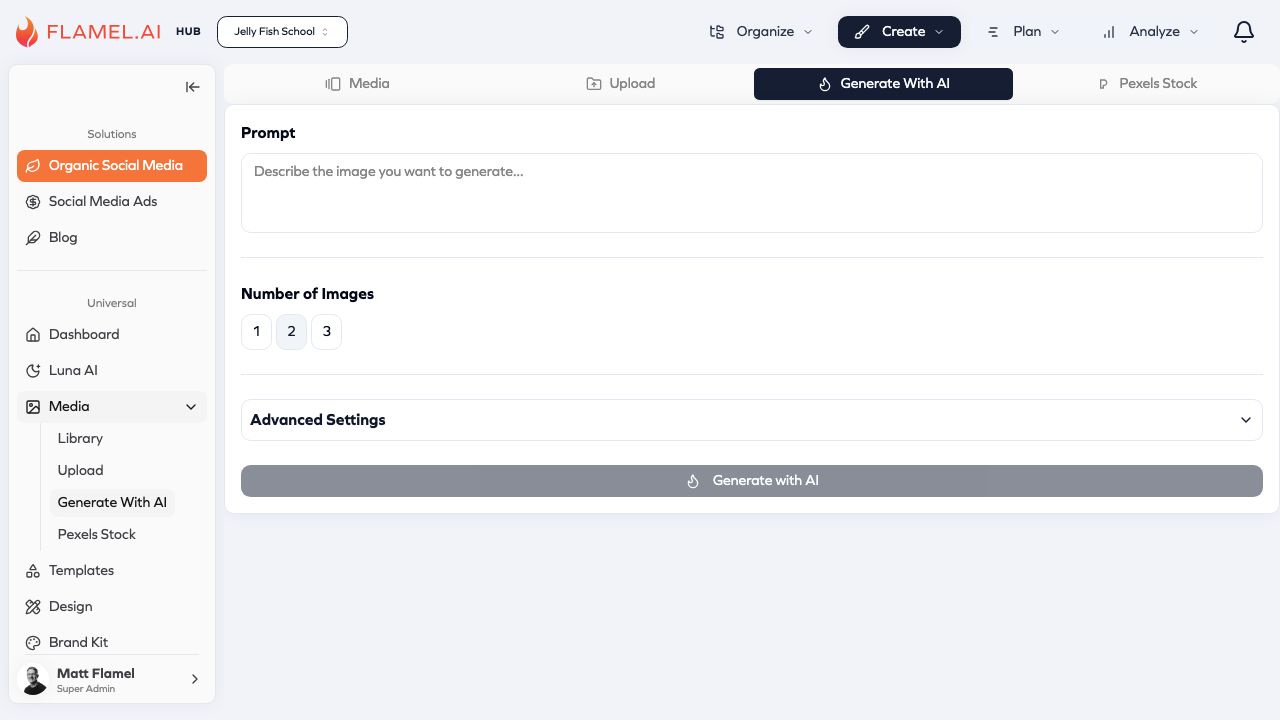 Describe what you want in plain language, and Flamel's AI creates unique images you can use in your content. It's not a replacement for professional photography, but it's a powerful tool for creating supporting visuals, backgrounds, and conceptual images.
How It Works
Click Media in the sidebar, then select Generate With AI to open the generation interface. You'll see a text field where you describe the image you want.
Type a description — be as specific as possible — and click Generate. The AI processes your request (usually 10-30 seconds) and shows you the result. If you like it, click Save to Library to add it to your media collection. If not, adjust your prompt and try again.
Generated images work just like uploaded images once they're in your library. Use them in posts, edit them in the design editor, organize them into folders — everything you'd do with any other media.
Writing Effective Prompts
The quality of your generated image depends largely on how well you describe what you want. Vague prompts give unpredictable results; specific prompts give you much more control.
Include the subject — what's actually in the image. "A coffee cup" is a start, but "a white ceramic coffee cup filled with latte, seen from above" gives the AI much more to work with.
Specify the style — is this a photograph, an illustration, a watercolor painting, a 3D render? The same subject looks completely different across styles. "Photo-realistic" versus "minimal line drawing" will give you very different results.
Describe the mood and lighting — bright and cheerful? Dark and moody? Warm afternoon light? Cold blue tones? These details shape the entire feel of the image.
Consider composition — close-up, wide shot, aerial view, centered subject, rule of thirds. Composition direction helps the AI frame the image the way you envision it.
Example Prompts
Here are some prompts that work well, with explanations of why:
"A coffee cup on a wooden table, morning light streaming through a window, cozy cafe atmosphere, shallow depth of field" — This specifies the subject (coffee cup), the setting (wooden table, cafe), the lighting (morning window light), the mood (cozy), and even a photography technique (shallow depth of field for that blurred background effect).
"Professional headshot style portrait of a woman, neutral gray background, soft studio lighting, friendly confident expression, business casual attire" — Clear direction on composition (headshot), background (neutral gray), lighting (soft studio), expression (friendly confident), and wardrobe (business casual).
"Colorful smoothie bowl with fresh berries, banana slices, and granola, shot directly from above, bright natural lighting, clean white surface" — Specific subject with ingredients, exact camera angle (overhead), lighting style, and background.
What AI Generation Does Well
AI excels at creating conceptual and abstract images — visualizations of ideas that would be hard to photograph. Need an image representing "growth" or "innovation"? AI can create metaphorical visualizations.
Backgrounds and textures are easy for AI. Marble surfaces, wooden textures, gradient backgrounds, abstract patterns — all straightforward to generate.
Generic lifestyle imagery works well: people in settings, food on tables, products in environments. These may not replace your actual product photos, but they're useful for supporting visuals.
Limitations to Know
AI generation has real limitations you should understand.
Text in images rarely works well. If you need words in your image, generate without text and add it later in the design editor.
Specific brand elements like logos can't be reliably reproduced. The AI doesn't know what your logo looks like.
Exact likeness of real people or products isn't possible. If you need photos of your actual team or your actual products, use real photography.
Consistency across images is difficult. If you generate multiple images, getting them to look like they belong together requires careful prompt engineering.