Post Ideas
Save and organize content ideas for future posts.
Great content often starts as a spark of inspiration that comes at inconvenient times — in a meeting, while commuting, or scrolling through a competitor's feed. Post Ideas gives you a place to capture these moments so they don't slip away.
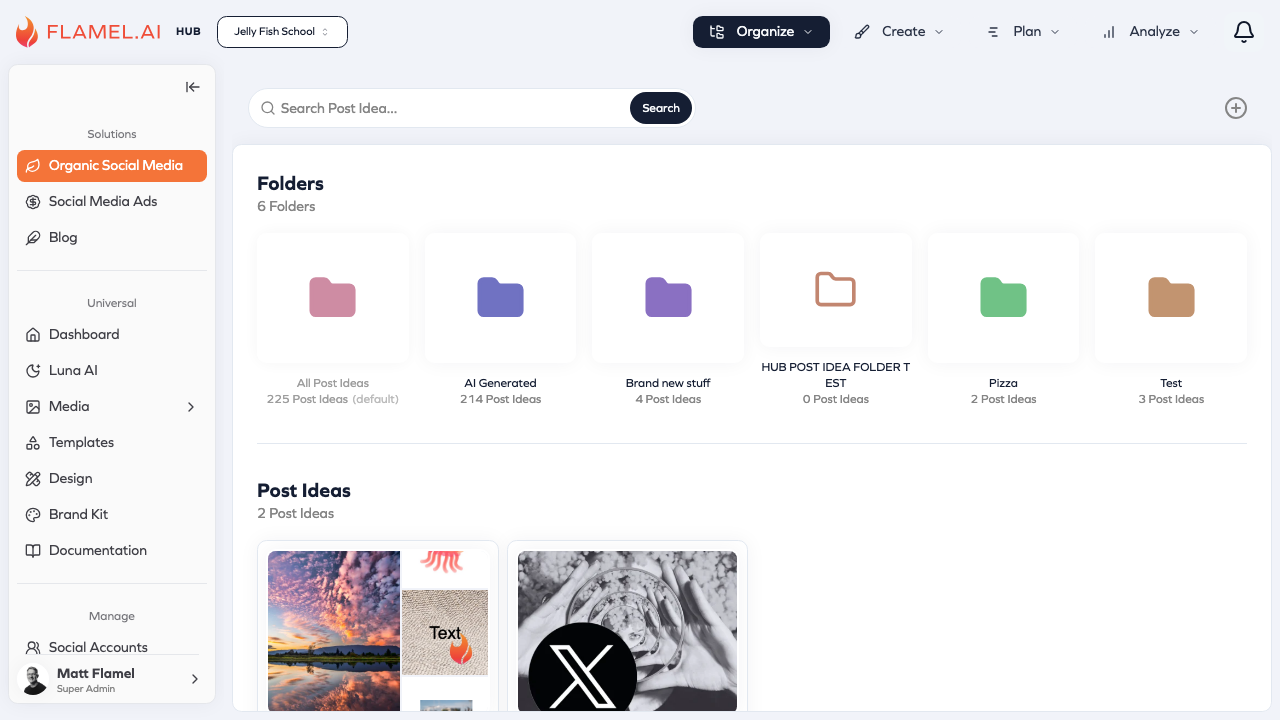
Capturing Ideas
When inspiration hits, navigate to Organize > Post Ideas in the Organic Social module and click the + button. Jot down your idea with a title and description, add any reference media or notes, and save. The whole process takes seconds and means you'll have that idea waiting when you're ready to create content.
Ideas don't need to be fully formed. A quick phrase like "customer spotlight series" or "behind the scenes Tuesdays" is enough to jog your memory later. The goal is capturing the spark, not producing a finished post.
Organizing Your Ideas
As your idea library grows, organization becomes important. The Post Ideas view lets you browse all saved concepts, search by keyword, and filter by creation date. You can sort ideas chronologically or by when they were last modified.
Some teams use Post Ideas as a content backlog, adding ideas during brainstorm sessions and then drawing from the pool when creating their content calendar. Others use it more spontaneously, adding ideas whenever they occur and converting the best ones into posts.
Turning Ideas into Posts
When you're ready to use an idea, click on it to open the detail view, then click Create Post. Flamel opens the post editor with your idea's content pre-filled — the description becomes your starting caption, and any media you attached is ready to use.
From here, refine the caption, add or swap media, select your target accounts, and schedule. The idea has done its job of preserving your concept until you had time to develop it fully.
Hub Ideas
If you're part of a franchise network with a Hub, you may see ideas distributed from your franchisor. These Hub ideas appear in your Post Ideas library alongside your own, providing pre-approved content concepts that align with brand strategy.
Hub ideas are particularly useful for seasonal content, promotional campaigns, and brand initiatives. They give you a starting point that's already on-brand, which you can then customize with local details and personality.
Adding Context to Ideas
When saving an idea, consider adding notes about timing or context. "Good for summer campaign" or "use when X product launches" helps future-you remember not just the idea but when to use it. This turns your ideas library into a planning tool, not just a collection.
You can also attach reference media — images from a photoshoot, competitor examples, or visual inspiration. When you later convert the idea to a post, this context makes the creation process faster and more focused.