Analytics Overview
Track and analyze your paid advertising performance.
Track paid advertising performance — from high-level spend summaries to detailed breakdowns by campaign, ad set, creative, and time period.
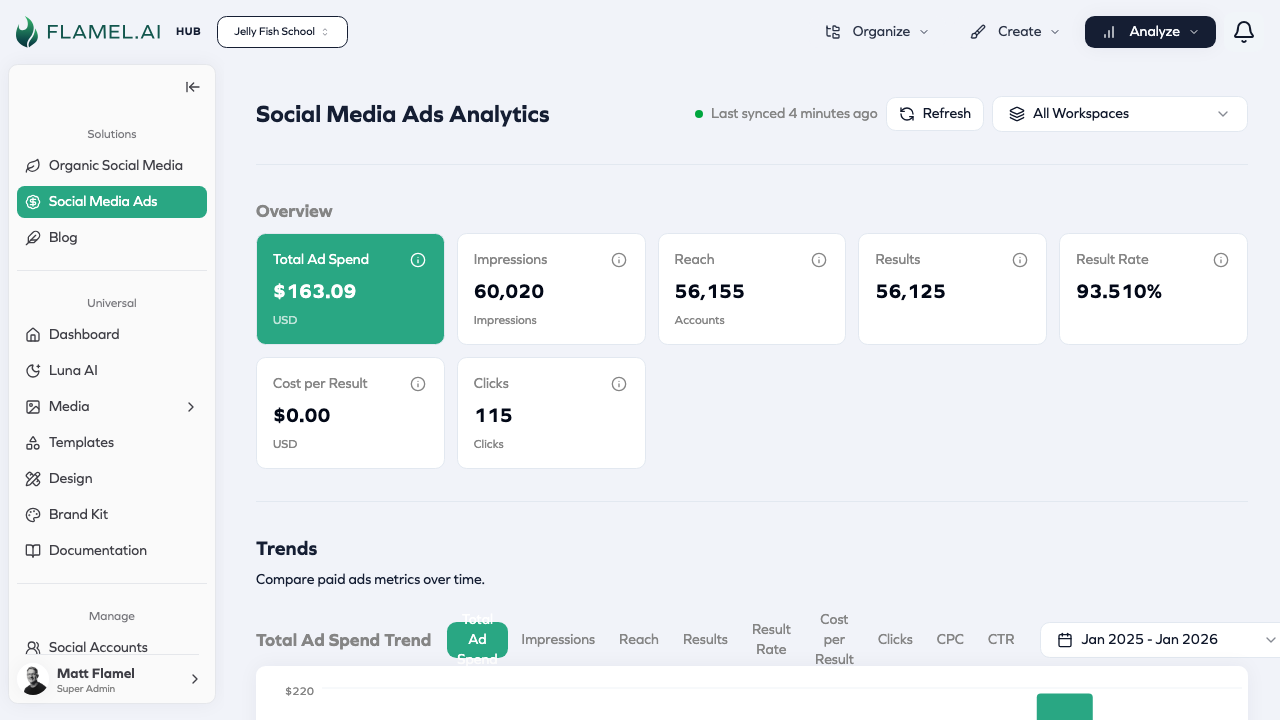
Accessing Analytics
Navigate to Social Media Ads in the sidebar, then click Analyze > Meta Ads Analytics. Adjust the date range to analyze any period.
Analytics Sections
- Understanding Metrics — Key metrics explained: spend, reach, engagement, results
- Data Views — Different perspectives: by campaign, ad set, creative, and time
- Hub Analytics — Multi-location analytics for franchise organizations
Quick Metrics Reference
| Metric | What It Measures | Why It Matters |
|---|---|---|
| Spend | Ad dollars invested | Budget pacing |
| Impressions | Total ad views | Audience exposure |
| Reach | Unique people | Audience size |
| CTR | Clicks / Impressions | Ad relevance |
| CPC | Cost per click | Click efficiency |
| Cost per Result | Spend / Conversions | Campaign efficiency |
| ROAS | Revenue / Spend | Profitability |
Focus on goal-relevant metrics (cost per lead for lead gen, ROAS for e-commerce). Give campaigns at least a week of data before making major changes. Review weekly during active campaigns.