Ad Sets
Configure targeting, budget, and schedule for your ads.
Ad sets are where you define who sees your ads and how much you're willing to spend reaching them. While campaigns set the objective, ad sets control the targeting — the demographics, interests, behaviors, and custom audiences that determine your audience. Each campaign can have multiple ad sets, letting you test different targeting approaches or allocate budget to different audience segments.
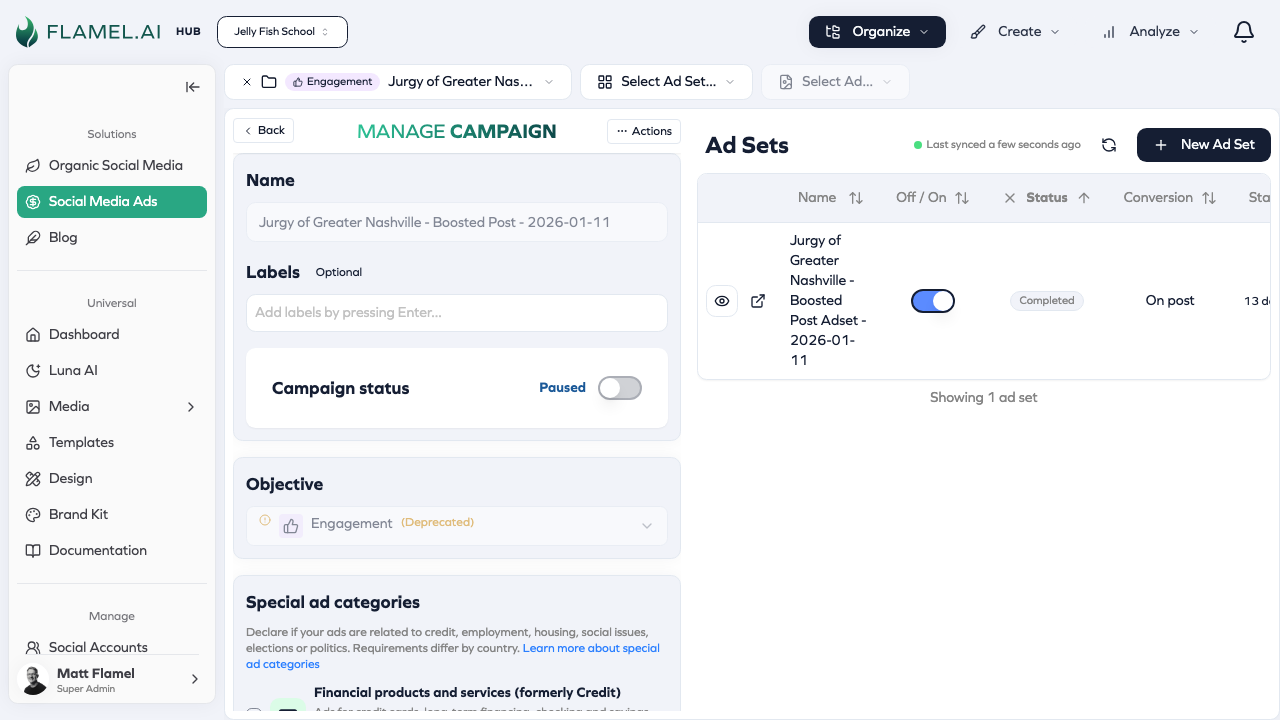
The Role of Ad Sets
Think of ad sets as the tactical layer of your advertising. The campaign says "I want leads," and the ad set says "specifically from women aged 25-45 who live within 10 miles and are interested in fitness." The combination of targeting, budget, and schedule in an ad set determines how your ads compete in Meta's auction and who ultimately sees them.
Having multiple ad sets within a campaign lets you test different audiences against each other, allocate different budgets to different segments, or run different schedules for different targeting. The flexibility is powerful but requires thoughtful organization to avoid overlap and wasted spend.
Creating an Ad Set
Within any campaign, click Add Ad Set to create a new targeting group. The creation flow walks you through budget, schedule, audience definition, and placements before you add the ads themselves.
Budget and Schedule
Each ad set can have its own budget (if the campaign doesn't use Campaign Budget Optimization) and definitely has its own schedule.
Daily budget tells Meta the maximum you want to spend per day on this ad set. Meta won't exceed this on any single day, though actual spending might be lower if the algorithm can't find enough people in your audience worth bidding on.
Lifetime budget sets a total amount for the entire ad set duration. Meta paces spending to use the full amount by the end date, which can mean more spending on some days and less on others. This option works best when you have a fixed budget for a specific campaign period.
Schedule defines when your ad set runs. You can set a start date, an end date (optional for evergreen campaigns), and even specify hours of the day when ads should run if you know your audience is only active at certain times.
Targeting Your Audience
Targeting is the heart of ad set configuration. You're defining who you want to reach.
Location targeting lets you specify geographic areas. For most franchisees, this means a radius around your physical location — 10 miles, 25 miles, whatever makes sense for how far people travel to your business. You can also target specific cities, states, or zip codes.
Demographics include age range and gender. Set minimum and maximum ages based on who actually buys from you. If you don't have strong data, start broad and let performance data guide you toward narrowing.
Detailed targeting encompasses interests, behaviors, and other characteristics Meta infers from user activity. Someone who engages with fitness content, follows running pages, and shops for athletic wear might appear in a "Fitness Enthusiasts" interest segment. Combining multiple interests can narrow your audience to highly relevant prospects.
Custom audiences let you target people with existing relationships to your business — website visitors, customer lists you upload, people who've engaged with your social content, or lookalikes of these groups. Custom audiences often outperform interest targeting because these people have already shown some connection to your brand.
See Targeting & Configuration for detailed guidance on building audiences and Audiences for creating custom and lookalike audiences.
Placements
Placements determine where your ads appear across Meta's network — Facebook Feed, Instagram Feed, Stories, Reels, Audience Network, and more.
Automatic placements (Advantage+ Placements) let Meta decide where to show your ads based on where they'll perform best. This is recommended for most advertisers because Meta can find efficient inventory across all placements.
Manual placements give you control over exactly where ads appear. Use this when you have specific creative designed for certain formats (like vertical video for Stories) or when you have data showing certain placements work better for your business.
Optimization Goals
Within an ad set, you tell Meta what outcome to optimize for. This should align with your campaign objective but gives you more specific control.
For a traffic campaign, you might optimize for link clicks (any click on your ad) or landing page views (only counting when someone actually loads your page). For a leads campaign, you might optimize for leads (form submissions) or for conversion leads if you have that data.
The optimization goal affects Meta's bidding and delivery — optimizing for landing page views filters out low-intent clickers, potentially reaching fewer people but with higher quality visits.