Alerts Overview
Get notified when campaign performance changes.
Alerts monitor your campaigns continuously and notify you when performance changes, milestones are reached, or settings are modified.
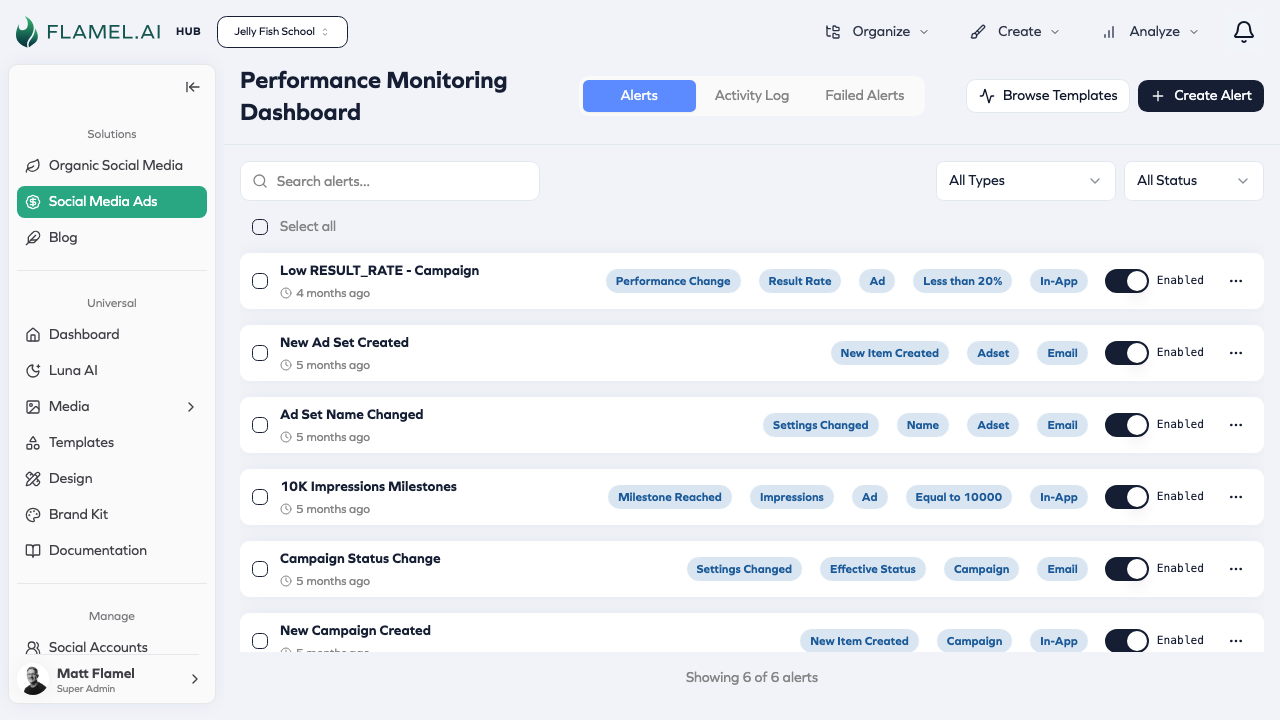
Alerts Sections
- Alert Types — Performance changes, milestones, creation, and modification alerts
- Creating Alerts — Build custom alerts and use templates
- Managing Alerts — Monitor, pause, and organize your alerts
Accessing Alerts
Hub Feature: Performance Alerts is available for Hub users in the Paid Social Ads module.
Find Performance Alerts in the Manage section of the sidebar within the Paid Social Ads module.
Quick Reference
Alert Types
| Type | What It Monitors |
|---|---|
| Performance Change | Metric changes from baseline |
| Milestone | Cumulative metrics reach specific values |
| Creation | New campaigns, ad sets, or ads created |
| Change | Campaign settings are modified |
Notification Options
| Channel | Best For |
|---|---|
| Critical alerts requiring immediate attention | |
| In-app | Lower-priority alerts during normal workflow |
| Daily digest | Consolidated summary without notification overload |
Common Alert Templates
| Template | What It Watches |
|---|---|
| High CPC Alert | Cost per click rising above normal |
| Low CTR Warning | Click-through rates dropping |
| Spend Threshold | Budget approaching or exceeding limits |
| Conversion Drop | Sudden decreases in conversion rates |
| ROAS Target | Return on ad spend falling below acceptable levels |
Start with a few essential alerts and set thresholds based on your actual performance history. Enable email notifications for critical alerts that need immediate attention.