Playbooks Overview
Use pre-built campaign templates to quickly launch ads across all your franchisees.
Playbooks are campaign blueprints that Hub users design once and workspaces deploy with a few clicks. They solve the challenge of maintaining brand consistency and advertising best practices across hundreds of franchisees without requiring each one to become a Meta Ads expert.
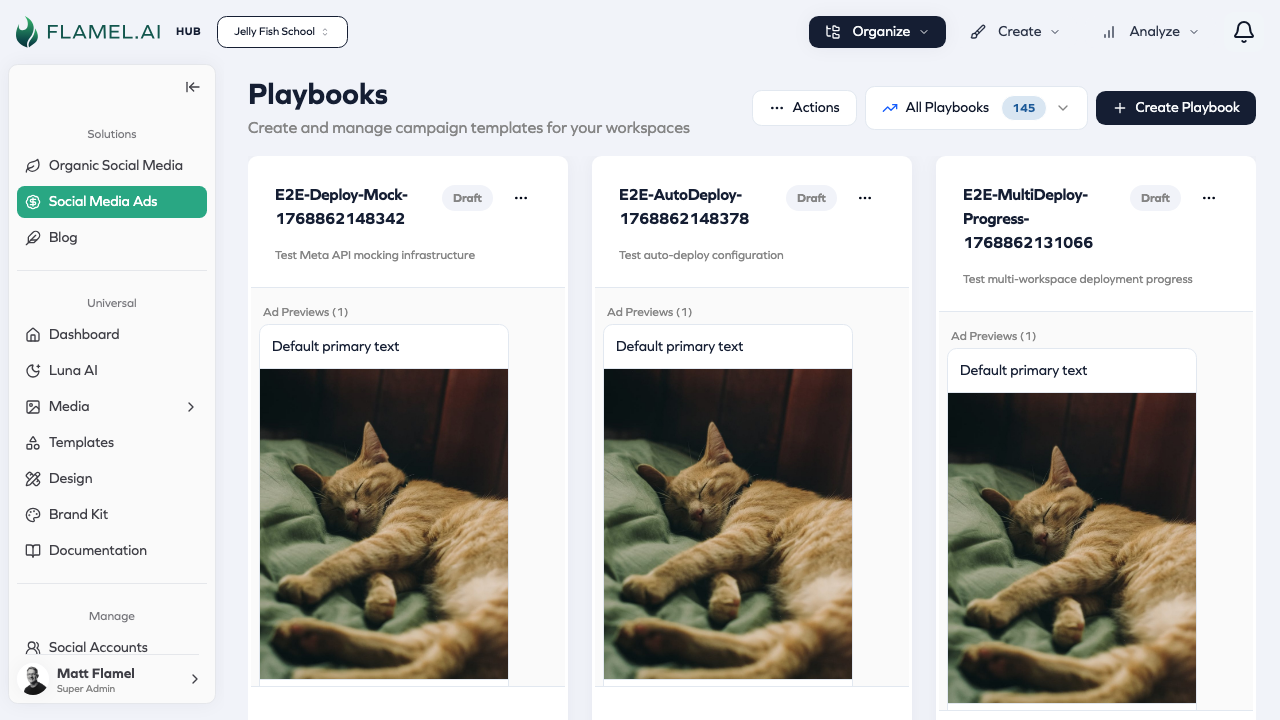
How Playbooks Work
The playbook workflow has two sides:
- Hub creates the blueprint — Configure campaign objectives, targeting, budget ranges, and creative requirements
- Workspaces opt in — Browse available playbooks, upload their media (if required), confirm their budget, and launch
Once a workspace opts in, Flamel automatically creates their campaign in Meta Ads Manager with all the settings from the playbook template.
Documentation Sections
| Guide | For | Description |
|---|---|---|
| Creating Playbooks | Hub Users | Complete step-by-step guide to building playbooks |
| Managing Playbooks | Hub Users | Monitor opt-ins, review creative, extend campaigns |
| Opting In | Workspace Users | Discover and deploy playbooks from your Hub |
| Opt-In Walkthrough | Workspace Users | Click-by-click guide to every opt-in step |
| Lead Capture | Hub Users | Set up lead generation with instant forms |
| FAQ | Everyone | Common questions and answers |
Quick Reference
Playbook Types
| Type | Description | Use Case |
|---|---|---|
| One-Time | Single run with fixed dates | Seasonal promotions, events, launches |
| Evergreen | Workspaces can re-run repeatedly | Ongoing offers, recurring promotions |
Launch Modes
| Mode | Description | Requires Workspace Action |
|---|---|---|
| Opt-In | Workspaces choose to participate | Yes |
| Deploy Immediately | Auto-launches at all workspaces | No |
Creative Sources
| Source | Who Provides | Hub Review Required |
|---|---|---|
| Playbook-Level | Hub uploads media | No |
| Workspace-Level | Workspaces upload during opt-in | Yes |
| Existing Posts | Workspaces select organic posts | No |
Budget Types
| Type | Best For | Requires End Date |
|---|---|---|
| Daily | Ongoing campaigns, flexible duration | No |
| Lifetime | Fixed promotions, events | Yes |
Budget Allocation Strategies
| Strategy | How It Works | Best For |
|---|---|---|
| CBO | Meta distributes budget across ad sets | Most campaigns (recommended) |
| Equal | Divides evenly across campaigns/ad sets | Simple, balanced allocation |
| Percentage | Hub specifies exact split | Different campaign priorities |
Opt-In Statuses
| Status | Meaning |
|---|---|
| Pending | Processing submission |
| In Review | Hub reviewing workspace creative (includes "Changes Requested" sub-state) |
| Deploying | Creating campaign in Meta |
| Active | Campaign running |
| Partially Deployed | Some campaigns succeeded, some failed |
| Completed | Campaign finished |
| Paused | Temporarily stopped |
| Failed | Deployment error occurred |
| Cleanup Failed | Deployment failed, cleanup also failed |
| Cancelled | Workspace cancelled participation |
| Questions Only | Answered questions but no campaign deployed |
Key Concepts
Hub vs Workspace
-
Hub = Franchise corporate (franchisor)
- Creates playbook templates
- Sets guardrails (budgets, targeting, creative guidelines)
- Reviews workspace submissions
- Monitors network performance
-
Workspace = Individual location (franchisee)
- Discovers available playbooks
- Opts in with their details
- Uploads local creative (if required)
- Runs and monitors their campaigns
Creative Review Workflow
For workspace-level creatives:
Workspace submits opt-in with media
        ↓
Status: "In Review"
        ↓
Hub reviews creative
        ↓
├── Approved → Deployment starts
└── Changes Requested → Workspace resubmits
Evergreen Re-Opt-In
For evergreen playbooks:
Workspace opts in (Run #1)
        ↓
Campaign runs for configured duration
        ↓
Campaign completes
        ↓
Workspace can opt in again (Run #2, #3, ...)
Common Questions
Can workspaces set their own targeting?
Partially. Workspaces can adjust location radius (1-50 miles) but cannot change audience types or detailed targeting. Hub controls targeting strategy for brand consistency.
Can I override workspace creative that fails brand review?
Yes. Use the review workflow to request changes. Workspace resubmits with corrected media until approved.
How do I extend a campaign that's performing well?
For budget: Use Command Center to increase budget. For schedule: Currently requires Meta Ads Manager. For evergreen playbooks, workspaces can simply re-opt-in.
Can workspaces use Messenger ads?
Not currently supported. Contact Flamel support if this is a priority.
For more questions, see the FAQ.
Next Steps
Hub users: Start with Creating Playbooks for a complete walkthrough.
Workspace users: See Opting Into Playbooks to learn how to participate.